Sign in and upload Flipkart settlement report
Sign in on tally-integration.in.
Go to Upload Reports from the left side pane, choose company> Market Place> Year & month and upload your Settlement report.
Load TDL and import data in Tally
Download TDL from here and load TDL in tally.
On “Gateway of Tally,” go to Tally Integration and click login option, enter login credentials of https://tally-integration.in/
Go to “View & Import” and choose relevant options and proceed.
Entire data will be displayed on the tally screen, now click on import buttons in the following sequence
Import new stock items
Import new ledgers
Import vouchers
After uploading the settlement report in tally, you will found new vouchers shown in the figure 1.
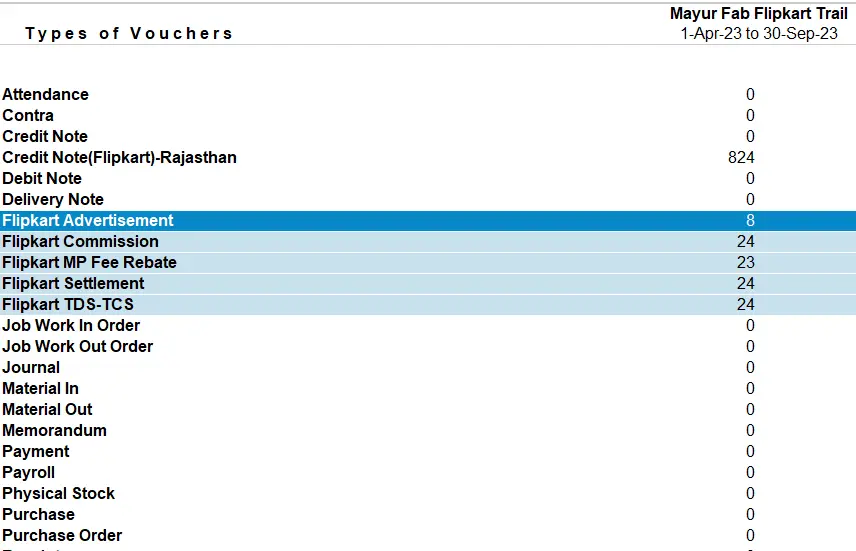
Figure 1: Voucher types raised from settlement report
Reconcile Flipkart Settlement Report in Tally
From the following measures, each of these vouchers can be checked which will ensure the quality of our solution.
1. Flipkart Advertisement: Flipkart charges its seller for the advertisement service. In the settlement report, sheet name “Ads” carries the information of Flipkart advertisement expenses.
To match it with tally, calculate total of column C which represent the amount deducted from settlement towards Advertisement expenses (refer Figure 2).
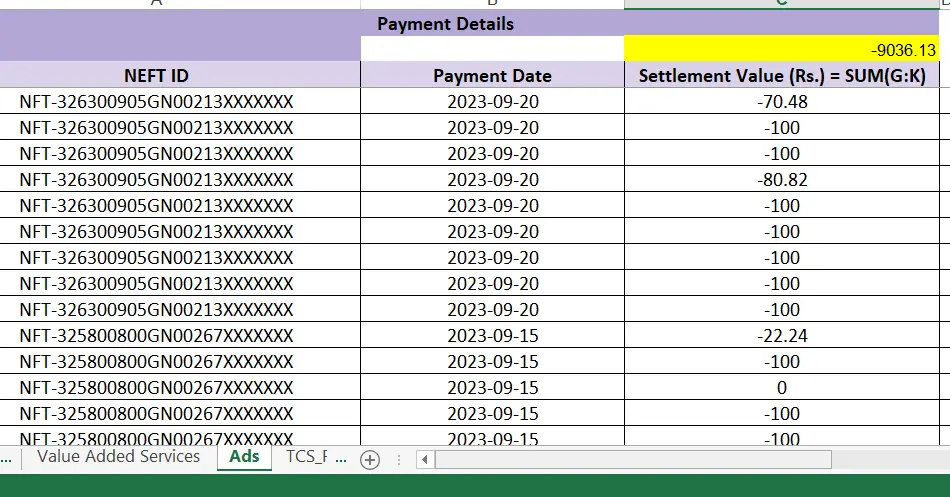
Figure 2: Flipkart Advertisement expenses
In tally, open the ledger name “Flipkart advertisement” and check the total (refer figure number: 3)
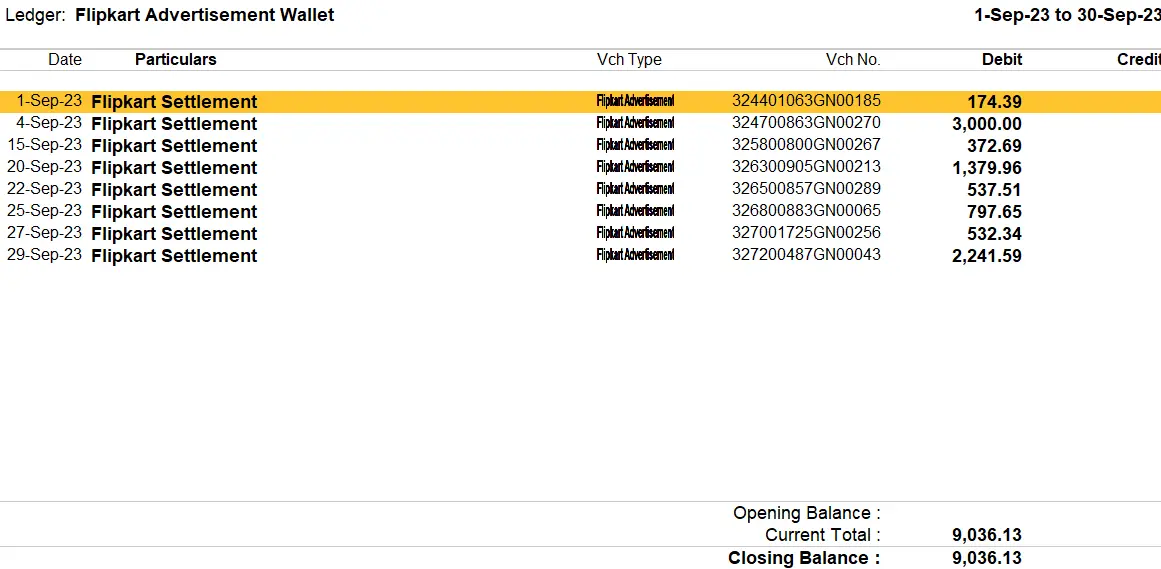
Figure 3: Flipkart advertisement ledger in tally
2. MP Fee Rebate: MP fee rebate is the market Place fee rebate given by Flipkart to its seller. In excel, its sheet named as “MP Fee Rebate”.
To match it with tally, calculate total of column D in sheet MP Fee rebate which represent the amount of MP fees deducted by Flipkart (Refer figure 4).
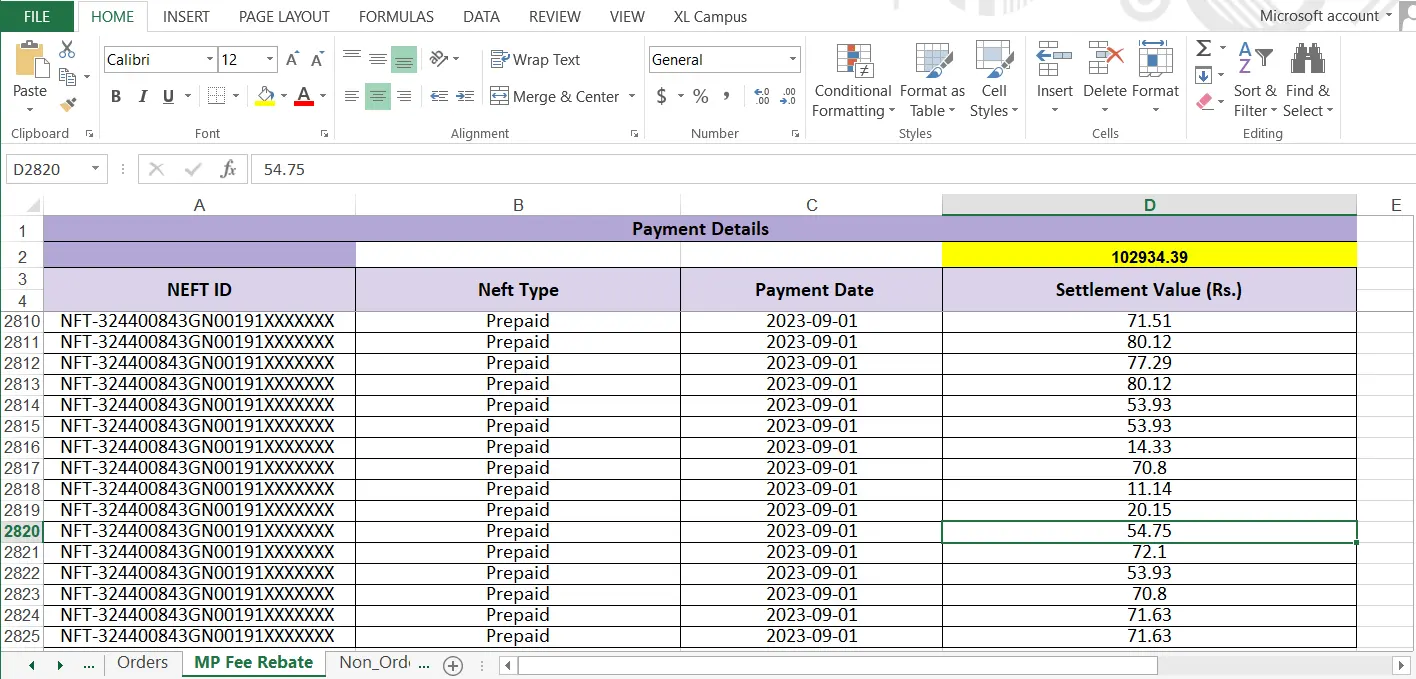
Figure 4: Sum total of MP fee Rebate in Excel
In tally, open the ledger name “MP Fee Rebate” and check the total (Refer Figure 5).
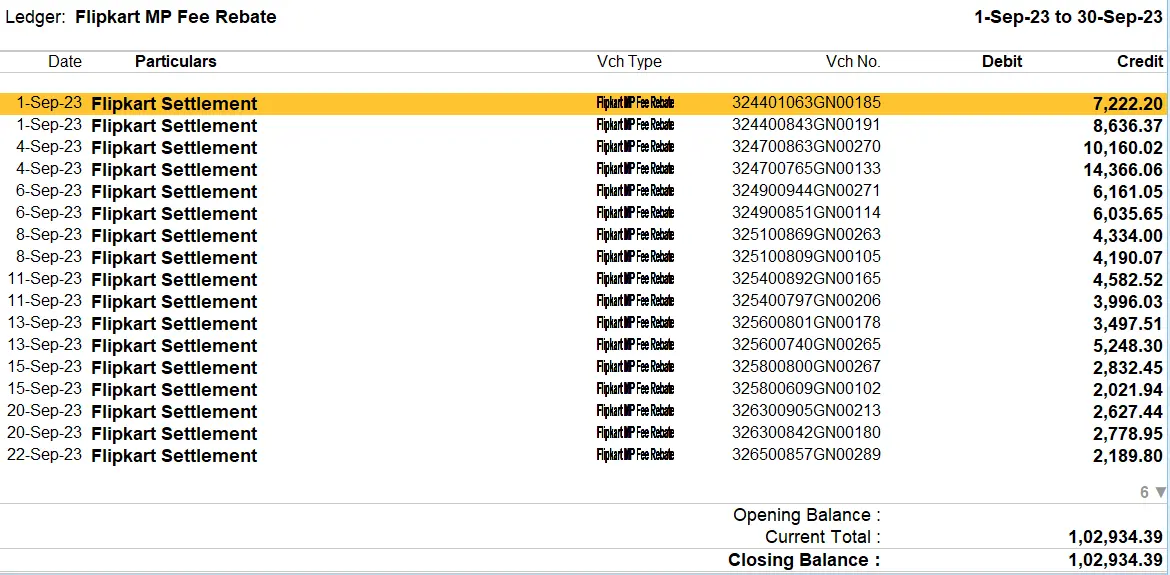
Figure 5: MP fee rebate voucher in tally
3. Flipkart commission: Flipkart charges a commission to its seller which is known as Marketplace fees.
To match it with tally, calculate the total of column N of sheet “orders” (Refer Figure: 6).
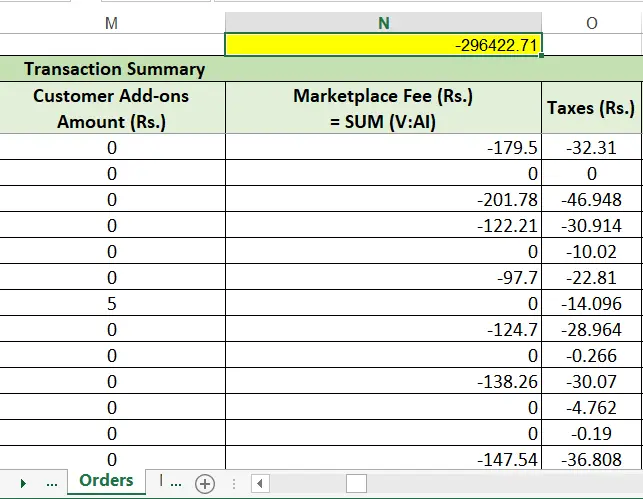
Figure 6: Selling fee in order sheet of settlement report
In Tally, open the ledger of “Flipkart selling fees” and match the total (Refer figure: 7).
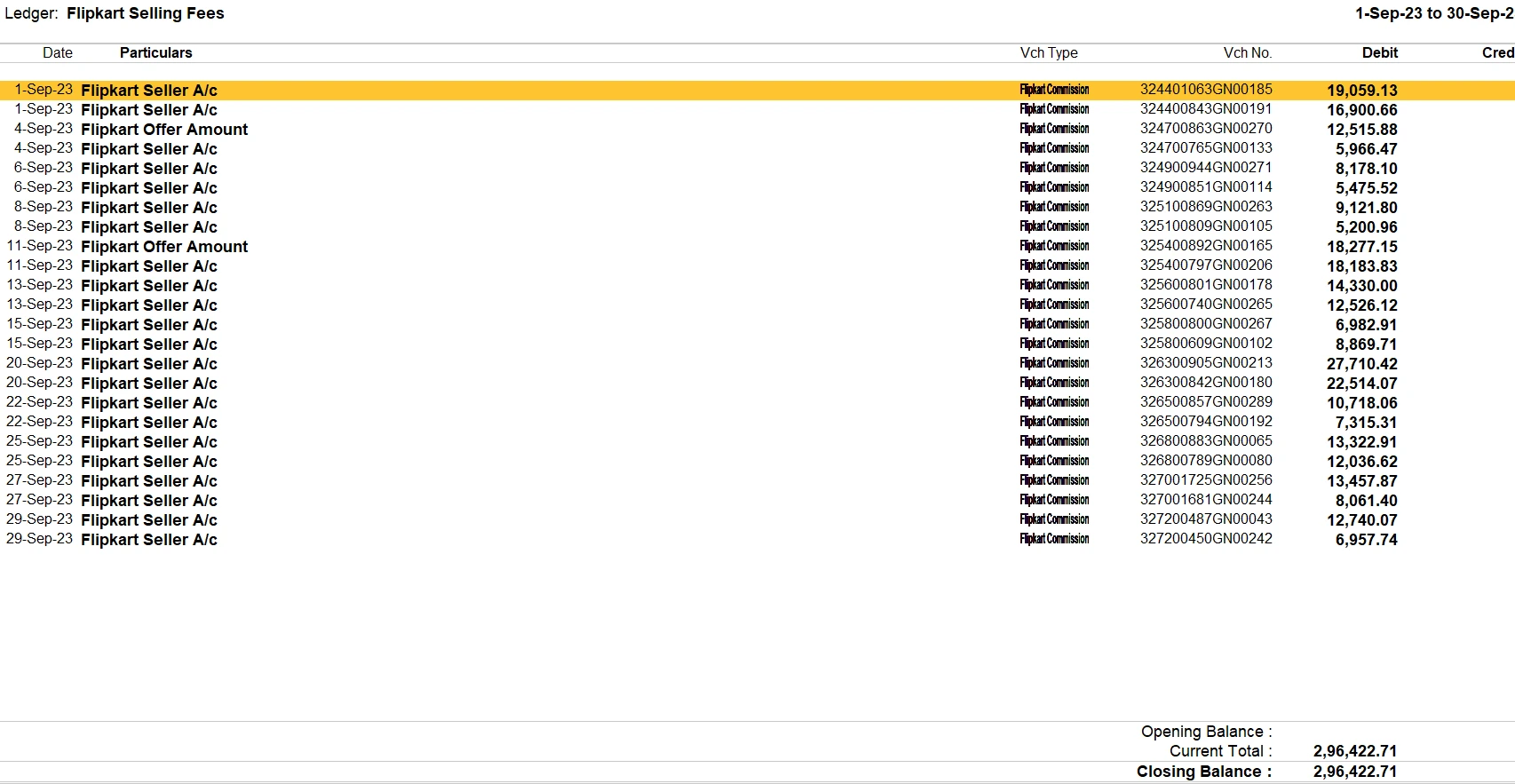
Figure 7: Flipkart selling fees Ledger in tally
4. Flipkart Settlement: It defines the settled amount from Flipkart to its seller.
Open the Flipkart settlement report in Excel. Each sheet contains a column labeled "Settlement Value." Calculate the sum for each sheet, and then add the total from all the sheets together (Refer figure 8).
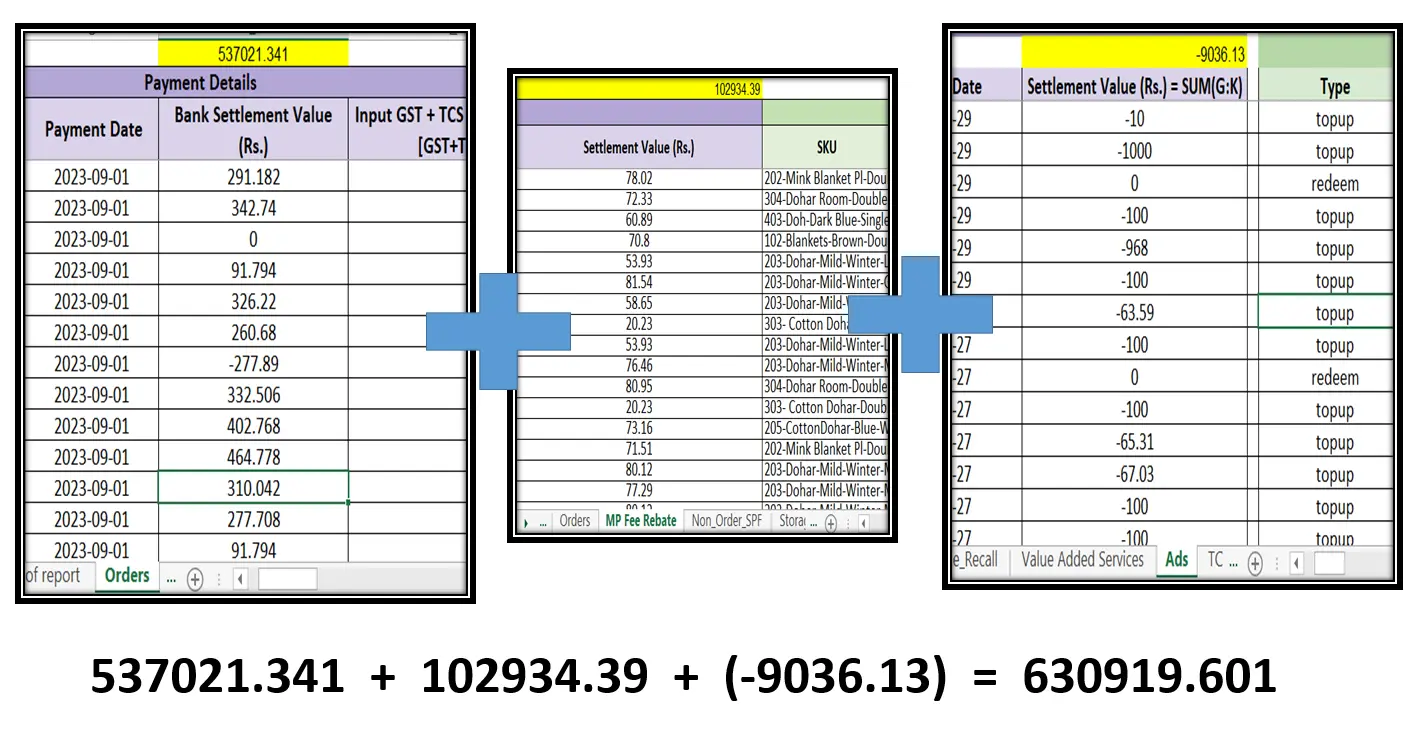
Figure 8: Sum total of settlement values in excel
Go to Tally and open the Flipkart settlement ledger. The total in Tally should match the total calculated in Step 1, confirming the accuracy of our solution (Refer figure 9).
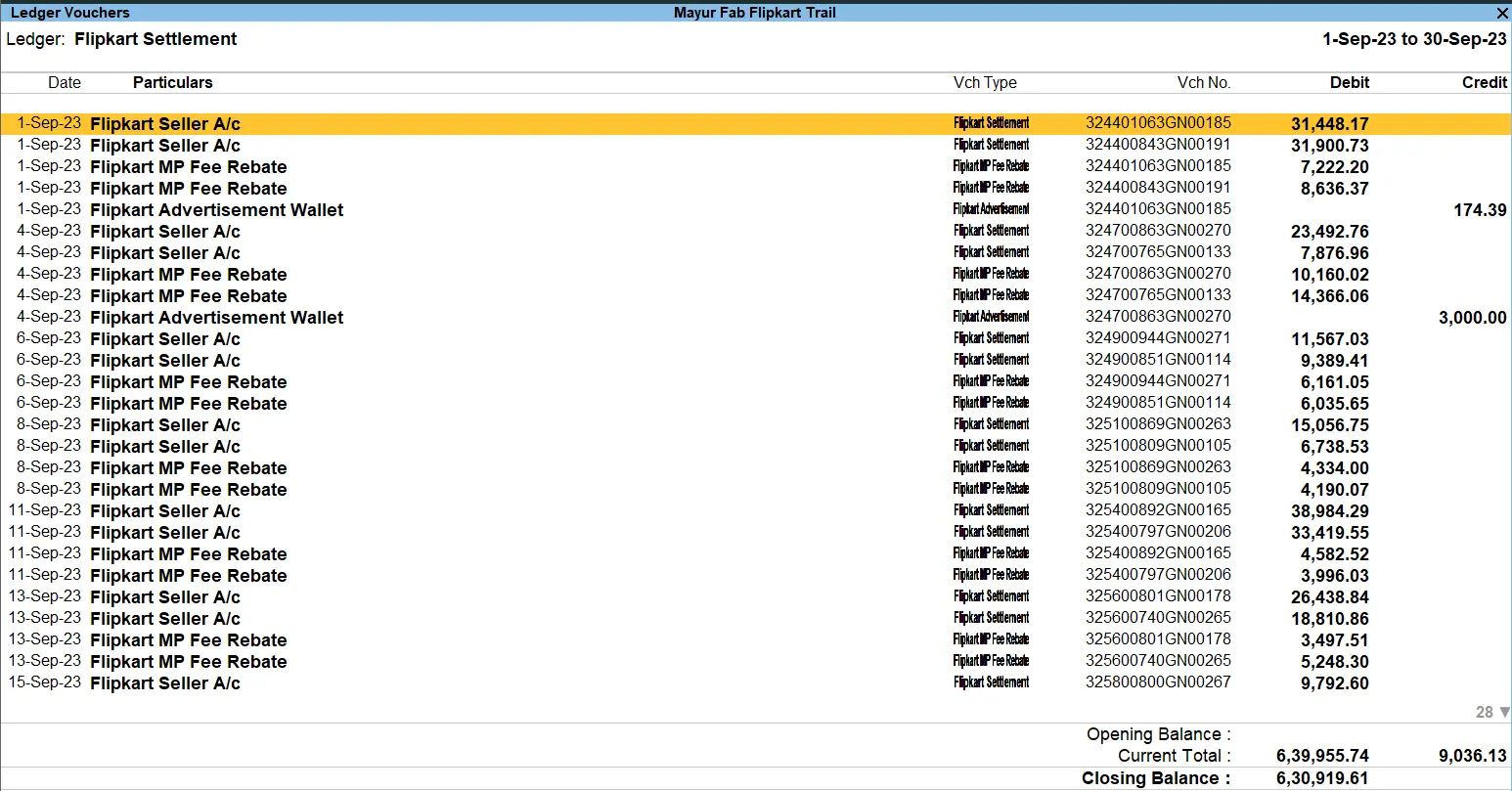
Figure 9: Flipkart settlement ledger in Tally
5. Flipkart TDS-TCS: TCS and TDS report of Flipkart is included in the settlement report.
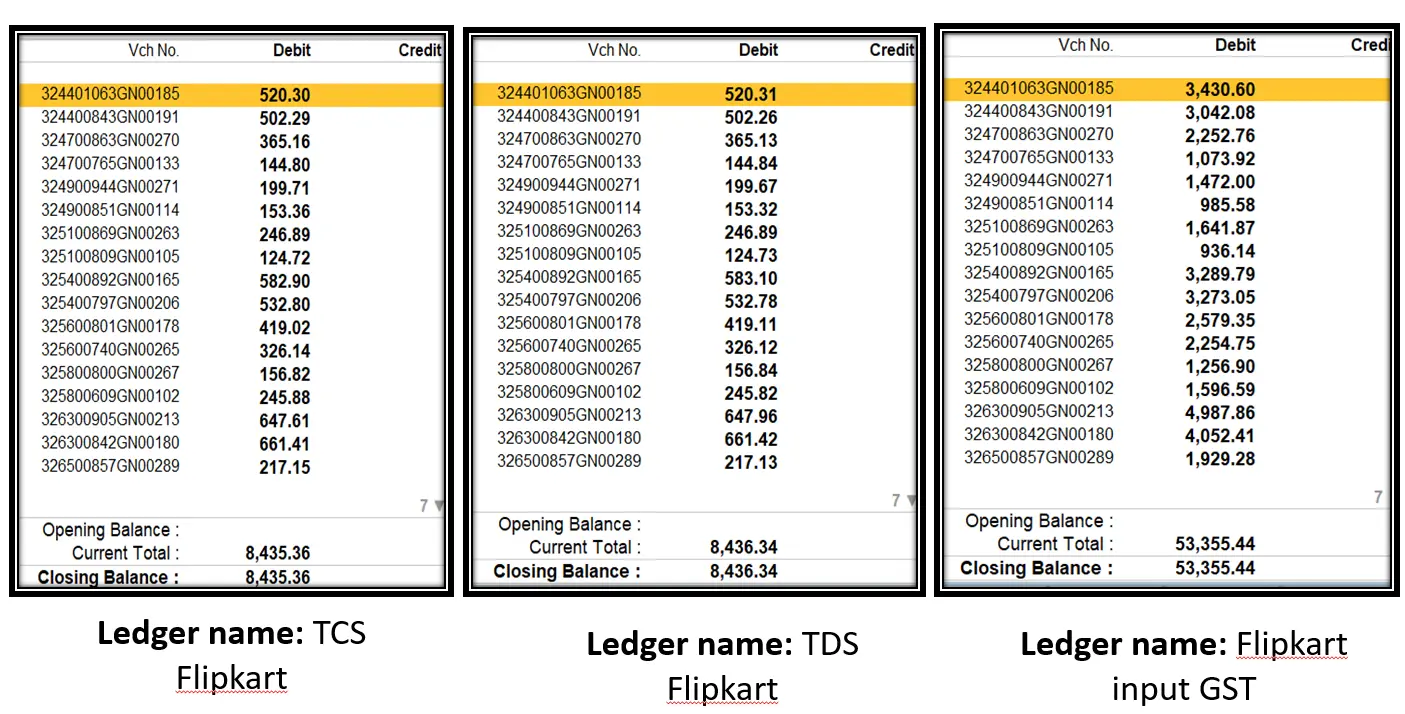
Open order sheet of settlement report and make the sum total of TCS (-8435.488), TDS (8435.481) and GST on MP fees (53355.44) column
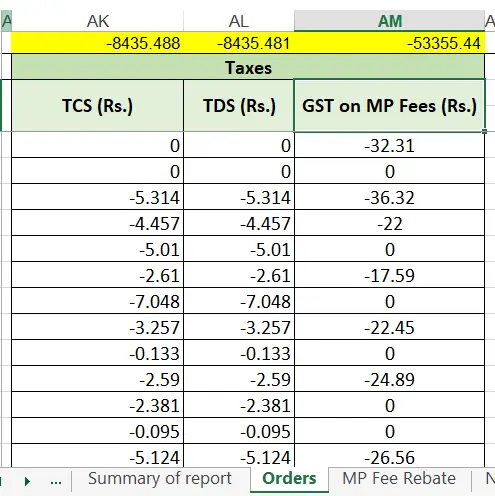
Figure 10: Sum total of TCS, TDS and GST on MP fees column in settlement report
Open Tally and select the relevant ledger to match the total (refer Figure 11).